Teams out of office.
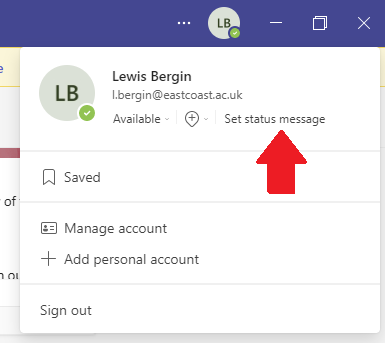
Step 1: Click on your profile picture (Top right corner)

Step 2: Click “Set status message”
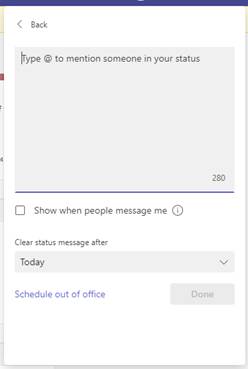
Step 3: Set the message you with the user to receive before they send their message upon messaging you, Make sure to click the “Show when people message me” button as this will give them the message as they type.
Once you have set a status message the other person will receive the message you set above their message as show below.
Was this article helpful?
That’s Great!
Thank you for your feedback
Sorry! We couldn't be helpful
Thank you for your feedback
Feedback sent
We appreciate your effort and will try to fix the article